Figuring out how often should a small site publish blog posts usually leads to advice built for massive media operations. If you run an independent software product or a niche tool, you do not have a dedicated editorial team pumping out three articles a day. You have whatever time is left after writing code, handling support tickets, and fixing database migrations. Publishing too rarely means search engines ignore your domain; publishing too often means your actual product rots while you write content. Finding the exact right frequency is a mechanical problem, driven by how search engine crawlers index pages and how much sustainable output you can manage without burning out.
The math behind crawl budgets
Search engines allocate a specific crawl budget to every domain on the internet. When a spider visits your sitemap and finds nothing new week after week, the crawl rate slows down. The algorithm assumes the site is static. If you publish a batch of six articles in one weekend and then go completely silent for four months, the spiders learn to check your site quarterly. This delayed crawling becomes a massive liability when you launch a new feature or update your documentation, because it will take weeks for those critical new pages to appear in search results.
A steady, predictable trickle of new URLs trains the crawler to return frequently. The goal is predictable indexing. For a small site, one new post a week provides a strong mechanical baseline. It is frequent enough to keep the crawl rate active, ensuring new product pages get indexed quickly, but sparse enough that a single developer can actually maintain the schedule.
Mining Search Console for exact targets

The easiest way to sustain a weekly schedule is to stop inventing topics from scratch. Open Google Search Console, navigate to the Performance report, and filter your queries by average position. Look specifically for keywords where your domain ranks between position 8 and 20. These are the queries where search engines already consider your domain relevant, but your current page is stuck at the bottom of page one or buried somewhere on page two.
Export that list of queries. Every single keyword in that 8–20 range is a prime candidate for its own dedicated post. If a broad landing page on your site accidentally ranks at position 14 for a highly specific phrase, writing a focused, standalone article targeting exactly that phrase will almost always push the new page into the top three spots. You do not have to guess what your audience wants; the data tells you exactly what queries are on the verge of driving real traffic.
Taking those keywords and turning them into a steady pipeline is where most small sites fail. I built AmplifySignal to monitor this exact data, picking keywords where the site ranks 8–20 and automatically drafting posts scheduled to publish directly to Ghost or WordPress.
Drafting against standing instructions
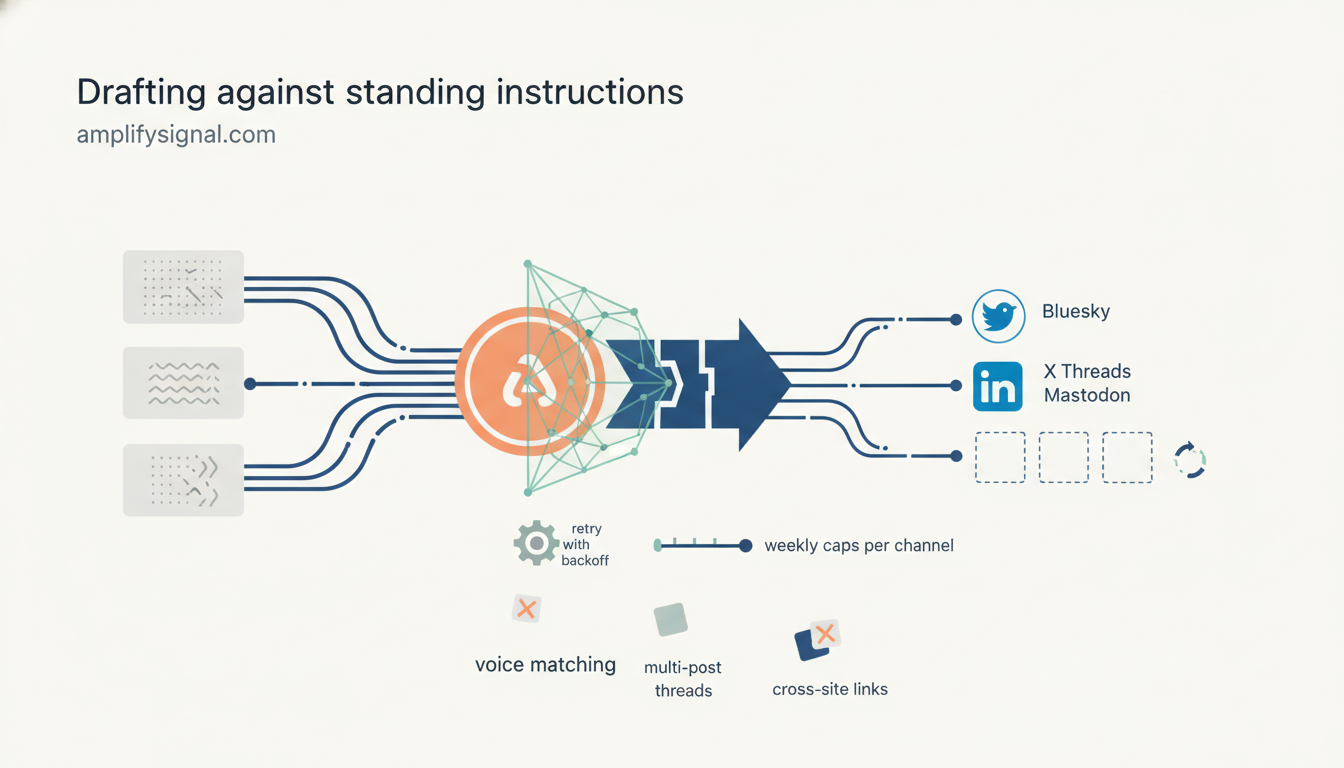
Scaling up your publishing frequency only works if the output remains tightly aligned with your product. Every post needs to serve the core utility of the site. This requires defining strict standing instructions for your content. Write down exactly who the reader is, what technical level they operate at, and what nouns they use to describe their daily work. If you build a database GUI, your instructions should mandate that the articles talk about queries, row locks, and indexing, not abstract business strategies.
When a draft is created against a target keyword, it must be filtered through those standing instructions. This is how you prevent a blog from drifting into generic, unhelpful filler. If a post is generated from a position 12 keyword, the drafted article must answer the specific technical intent behind that keyword using the exact terminology your users expect. Setting up a lean SEO content calendar keeps this queue organized, ensuring you always have a backlog of technically accurate, highly targeted drafts ready for review.
Publishing mechanics and review holds
When you publish, the destination and the timing matter. A hosted blog served from your own domain—whether it is a subdirectory or a subdomain—keeps the SEO value consolidated. If you use Ghost or WordPress, scheduling relies on the platform's internal cron jobs. You can decouple your writing time from your publishing frequency. Spending one afternoon preparing four posts and loading them into Ghost with staggered release dates buys you an entire month of consistency.
Before anything goes live, mandate an optional review hold. If you are running an automated pipeline to draft articles based on your site line and instructions, you still need to verify the technical details. Read the drafted post, check that the code snippets make sense, and ensure it actually solves the reader's problem. Once the hold is cleared, the platform handles the actual release at the scheduled time.
Pacing the social distribution
Hitting publish on the blog is only the first step. For a small site, social distribution drives the immediate traffic while you wait for the new URL to climb the search rankings. If you publish every Tuesday morning, the social posts need to follow a staggered schedule to maximize visibility across different platforms.
A standard pattern is dropping the article first, letting it settle, and then pushing to your primary networks. For example, if a post goes live on the blog at 9:00 AM, a Bluesky post should go out about two hours later to catch the afternoon feed. A more detailed, professional summary belongs on LinkedIn the next morning. If you are handling X, Threads, or Mastodon, keeping prefilled composer links ready allows you to manually dispatch the posts without having to rewrite the copy on the fly. You can automatically turn blog posts into social media posts using this staggered approach, ensuring each network gets the right format at the right time.
Handling failures and setting weekly caps
The reality of running any scheduled publishing pipeline is that endpoints occasionally fail. A webhook drops, a platform API hits a rate limit, or an access token quietly expires. When determining your frequency, you have to account for the maintenance of the system. Your publishing logic needs built-in retries with backoff. If a social syndication drops, the system should wait, retry, and eventually hold for manual review rather than collapsing the entire queue.
Equally important is putting a hard limit on your output. It is tempting to look at a list of fifty viable keywords from Search Console and decide to publish every single day until the list is clear. Set a weekly cap per channel instead. Quality degrades when you force volume, and your audience has a strict saturation point. A sudden flood of daily posts will prompt RSS subscribers to leave. A weekly cap enforces discipline, forcing you to prioritize the highest-value keywords and leaving the marginal ideas in the backlog.
The compounding effect of a steady pipeline
Publishing one solid post a week yields 52 new indexed pages by the end of the year. For an independent developer, 52 targeted pages covering specific use cases, technical integrations, and edge-case errors is a massive, permanent footprint. It creates a net that catches long-tail search traffic month after month.
After three months of publishing weekly, you check Search Console again. The landscape will have shifted. Some of those initial 8–20 posts will now sit in the top three, driving daily signups. Other new queries will have debuted at position 15. Those new keywords become the seeds for the next quarter of content. The frequency stays exactly the same, but the targeting gets sharper as you gather more data on what search engines trust your domain to answer. To run this exact cycle on autopilot, from picking the ranking keywords to drafting the posts, I run AmplifySignal on my own sites.